Digital Sandbox

This Blog is designed to provide the reader with information on how to adopt technology into the classroom by relooking at traditional classroom tools and transitioning into new ways of teaching and learning. The Digital Sandbox explores the future of learning through the recreation of 21st Century learning environments.

Sunday, May 20, 2012

Creating and Sharing Digital Books, A Facilitated Learning Approach

In today's digital world where multiple tasks are required in student learning, we must begin to teach students how to function in a dynamic organizational system. These skills involve invariable adjustments to setting priorities, performing multidimensional tasks, evening out workloads, adjusting time-frames, prioritizing tasks and navigating networks. All of these skills in the near future will become less teacher-directed and more student-directed.


In the past, teachers have taught organizational skills in a static system within a structured format. This delivery format took on the model of breaking down tasks and asking students to explicitly complete much defined units of information, such as "do as I do" and "you will learn." A typical classroom instructional practice for developing organizational skills would include: record my notes from the board, write your name on your paper directive, or complete your assignment on time.


Andrea Santilli, a teacher at Woodlawn Beach Middle School in Gulf Breeze Florida, is taking a new approach in helping her students to be organizers and creators of content. Her seventh grade science class has just recently published a digital book using iAuthor. The digital iBook has taken the number one spot for nature downloads. The ibook published on iTunes is entitled, "Creatures, Plants and More! A Kid's Guide to Northwest Florida."
I recently contacted Andrea Santilli and asked her to share with me some of her instructional strategies that she used when helping students organize their digital learning environments.  Andrea responded by stating that, "I originally started the school year with the intent of having my advance life science students to publish information that they learned in class. This was my way to challenge and give them the opportunity to experience publishing. They would use their  work as part of their academic resume. 
When Apple announced the release of iBook Author I was excited that I could change the format from the traditional old school format to an interactive digital format. So at the end of January, students received their grading rubric and we started the project. 
Each student had to choose an organism that they wanted to write about. Pictures had to be pre-approved to validate that they took them, then they could begin the writing portion of their project. Parents signed release forms and the students had a grading rubric with expectations and guidelines that they had to follow. They had a month to complete the project.  
At the end of the first month, the editing team (student based) was available to help students who chose to improve their article for the 2nd round of submissions. I also helped these students as well. Students submitted work on thumb drives in any format because not all of my students have Macs. I entered all their work in iBook Author to make it a completely digital interactive book. "
Andrea Santilli's science classroom is a point of reference that breaks away from traditional learning options. Her classroom has become connected through the creation of digital content.  Santilli's classroom is an example of how a team of students were asked to learn on their own as they applied new knowledge to expand a deeper understanding of selected content. Her classroom became a connected classroom where students were at the center of knowledge obtainment and shared their work with others. They were strategically linked to the process of engaged activities as they were asked to perform authentic tasks. These facilitated instructional strategies used by Andrea Santilli, were masterfully exercised to elaborate the learning process without influencing student choices. The students were also given support throughout the project to guide them in finding the exactness of knowledge and skill obtainment.


To better facilitate the learning process, associations must be made between knowledge and application.  The facilitator of content must provide a true form of elaborative rehearsal within the learning environment. Elaborative rehearsal encompasses a variety of strategies that provides the learner an opportunity to intricate their learning. Through elaboration the learner can express ideas more openly using multiple skill sets to compare new concepts with known concepts that hook the unfamiliar with something familiar.


Classrooms of the future, especially when moving over to the Common Core, will require a more diverse approach to the development of organizational skills by the expansion of "Personal Learning Environments," especially when working in a digital setting.  These are: the learning environments of the fluid classroom of elaboration learning; the co-creative environments that has given birth to the millennial learner ; a generation equipped with the mobile tools structured in the provision to create, and  share information across multiple platforms designed for a world of co-creating.


Mrs. Santilli encourages educators to download the iBook, which is available only on the Apple iPad. She would like others to see her students work and encourages teachers to start a classroom iBook project of their own.


See related story: "Middle schoolers create interactive eBook"

Creatures, Plants and More is an interactive field guide of Northwest Florida.  The stories and photos are a collection of what students  from Woodlawn Beach Middle School have compiled for everyone to enjoy.  If you are interested in visiting Florida's Best Kept Secret, look no further, the answer lies within the pages of this book!  Enjoy fascinating interactive photo galleries and videos that will AMAZE you! Click here  to visit the iTunes store to download the book.

Sunday, March 4, 2012

Virtual Jigsaw

The virtual jigsaw strategy can be a  powerful method to use when presenting or analyzing narrative materials. By using this approach, the teacher can cover large amounts of material in less time with greater participant comprehension and involvement. The method requires each person in the group to read a different section of the content prior to a class session or during and then share out to other members of the group on what they have learned on a back channel.


To use the virtual jigsaw the teacher or presenter would setup a backchannel using Today'sMeet or Google Moderator. The link to the backchannel would be established on a reservoir learning site like a wiki or blog. The reading materials for the activity would also be posted and numbered accordingly.


For example, in some of the workshops I have presented on the elaborative learning environment I have focused on the idea of changing classroom learning spaces to meet the learning needs of students in the 21st Century. An article that I use to establish a method for the rearrangement of learning spaces is entitled, "Campfires in Cyberspace: Primordial Metaphors for Learning in the 21st Century by David D. Thornburg, Ph.D." Prior to the workshop I break down the article into four different reading assignments and post theses assignments on the workshop wiki. During the workshop I demonstrate how to use a virtual jigsaw using a technology tool like a backchannel.

The purpose of this demonstration provides participants with two levels of technology integration. First it provides the participants with information on how learning spaces can be developed to accommodate the elaborative classroom, and secondly it provides an example on how co-creating methods can be used to curate information from a whole group while reading parts of an article using a back channel. The steps used in a virtual jigsaw have been posted below.
  1. A back channel is set up for the class or workshop using one of the following response tools, Today'sMeet or Google moderator.
  2. The material is divided into parts and numbered. The material is then posted in pdf format on a reservoir learning site. If the virtual groups are composed of four members, then the material is divided into four equal parts. (See Example)
  3. The group members are numbered off and each one is assigned the section that corresponds to his/her number. (Please note that these assignments can also be made outside of the classroom by hashtag notifications of students through twitter.)
  4. The teacher establishes a time frame during which each participant is to read his/her assigned section. (Five minutes is probably plenty.)
  5. After reading, each member then post their comments on the backchannel according to the underlying predefined questions associated with the article or just by sharing their posted thoughts. It is important to let the participants know that posting to a  backchannel has limited number of words that can be used in a response. For example Today'sMeet is limited to 140 Characters in a response. The limitation to the number of characters used in a response also helps teach the importance of the use of paraphrasing and summarizing as a teaching strategy.
  6. After all group members have finished, the presenter should provide some time for large group discussion as information is viewed on a projection system to the whole class or session. It is important that each participating members response is read to the whole group in case the group needs clarification. 
Jigsaw Activity Example
PART ONE LEARNING SPACES: "The Facilitation of Learning Spaces"
Overview: In an elaborative learning environment “classroom spaces,” are created in ways that students are at the center of knowledge obtainment. These learning spaces are linked to the process of engaged activities as students are asked to perform authentic task.” 

Activity One: Facilitated Learning
Directions
1.       Number off one to four.
2.       Once you have been given your topic number you have three minutes to respond to your assigned topic on the back channel.  
3.       To Answer the question assigned to your topic select the Back Channel Link to Today's Meet
4.       Please monitor other response as you will be asked to provide feedback on one or all of the four questions listed above. 

Topic One: "The Campfire"
·         Question One: In a facilitated classroom the campfire can be compared to learning in what ways?

Topic Two:"The Watering Hole"
·         Question Two: In a facilitated classroom how is the watering hole being compared to a part of a lesson?

Topic Three: "The Cave"
·         Question Three: In a facilitated classroom what part of a students learning is compared to a cave?

Topic Four: "Life"
·         Question Four: What role is directly associated with Life as it is applied to classroom learning?

Resources
·         TodaysMeet as Elaborative Learning Tool
·         TodaysMeet Direct Link 


Monday, January 2, 2012

Creating Digital Worlds with Digital Tools

Posted on January 24, 2009 by digitalsandbox |
His eyes bulging with wondrous curiosity, Michael Marino was able to explore his creative side when he developed an integrated project about New York City using audio, video, satellite images, and other digital technologies.


“I got to see things and do things I didn’t even know about,” said Marino, a seventh grader at Dodge City Middle School. “Using all this technology on the computer was pretty interesting.”


 Marino was just one of 17 seventh graders who took part in an all-day workshop on Jan. 16 called “Creating Digital Worlds with Digital Tools.” It’s part of an effort to use the latest in 21st Century technologies woven into integrated learning projects.


It’s essentially taking storytelling to a whole new form—the digital story. A digital story combines a written narrative with digital voiceovers narrated by the student along with pictures, musical soundtrack and video. These multi-media tools and others, such as a virtual tour using Google Earth, give story telling a whole new meaning, said DCMS Principal Michael King.


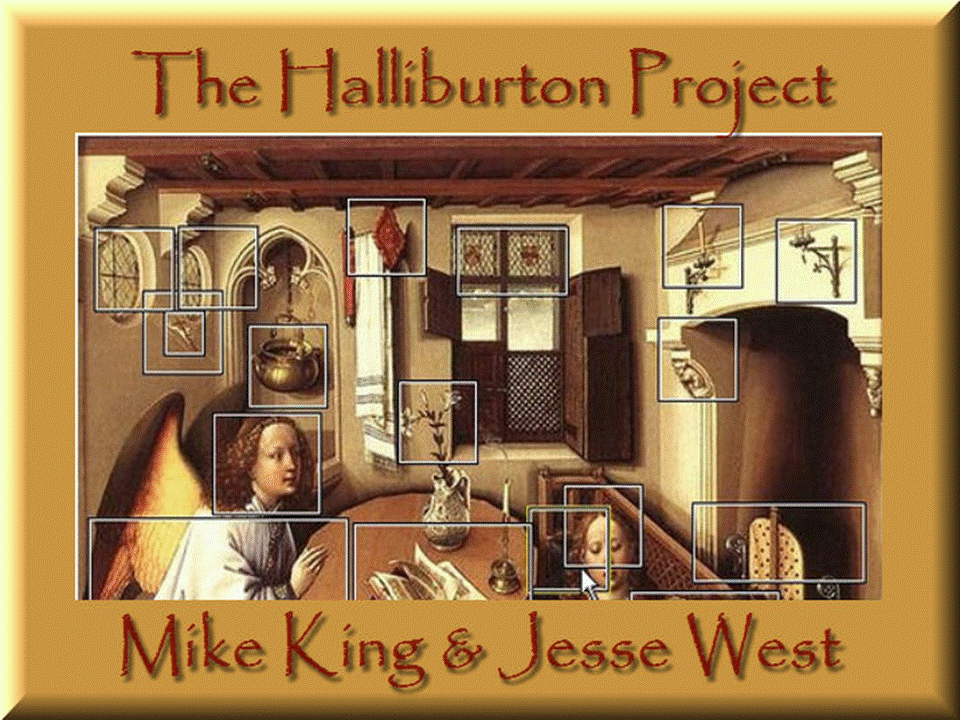
Called The Halliburton Project, the initial phase of this program is named after Richard Halliburton, an author and adventurist who traveled around the world in the 1920s, visiting places most people can only dream about. He profiled 30 of these locations in his books such as The Glorious Adventure and New Worlds to Conquer.


A new generation of students expects a learning environment that integrates today’s digital tools, accommodates a mobile lifestyle, adapts to individual learning styles and encourages collaboration and teamwork,” King said. “The Halliburton Project is designed to explore the latest technology tools and solutions available to help schools build 21st Century learning environments that motivate and engage today’s students.”


The recent workshop enabled students to choose a location that Halliburton visited, write a script, narrate it using an audio-editing program called Audacity, download pictures, and import all of that into Windows Movie Maker. Students also incorporated Google Earth into their project so that viewers can see actual satellite images of the location.


“I learned how to make a small movie with narration, background music and pictures to go with my script on my historical place,” said Nallely Rios, another seventh grader who attended the workshop. Rios conducted her project on ancient PompeiiItaly.


King and co-presenter Jesse West, a technology teacher at DCMS, presented this workshop to seventh graders in gifted education first as a pilot program. The plan is to then offer it to eighth graders in the gifted program. Eventually, King’s hope is to take it school-wide.


Also invited to the workshop were teachers from throughout Dodge City Public Schools who were partnered with the seventh graders. Sitting side by side with a computer in front of them, they shared in the learning process. The idea is for these teachers to introduce these technologies back at their own schools.


At several points during the workshop, King and West paused to administer quizzes to students. But these were no ordinary quizzes. They were high-tech quizzes in which students were issued electronic responders. Given the opportunity to read questions on a Smart board, an interactive screen at the front of the room, students registered their responses by pointing at the screen and simply clicking. After all, receiving immediate feedback on their answers helps to improve the learning process, King said.


Some students said they could have done without the testing if they had it their way, but Samantha Reyes, another student who attended, said the “clickers” as she called them “made it entertaining and fun. I wish I could do this project again if I could.”


It appears that Reyes will get her chance, for DCMS gifted education teacher Bill O’Brien will expect his students to fine-tune their existing projects and then develop more in-depth projects in the near future.


“It would be really great if we could have this technology in other classes,” said Jesus Bautista, another student at the workshop who conducted his project on the Iguazu Falls located on the border of Brazil Argentina.


That’s the goal, said King, who wants to integrate a whole new generation of multi-media technologies into the classrooms. These technologies also feature podcasting, blogs, vodcasting, Web 2.0, and wiki’s—a mini collaborative web site of sorts that allows the originator to grant editing privileges to multiple parties.

Sunday, October 23, 2011

dotEpub and Equitable Mobile Learning Opportunities

When introducing ideas on mobile learning  can be  frustrating to some educators; especially when they know what the future of classroom learning should look like and have limited resources to provide a working classroom model. Realizing now that it is not the idea of mobile learning that they are trying to replicate. It is the ideas on how to provide those tools or resources to make it equitable for all students to have the same opportunities.

Over the past year, I have conducted several workshops on mobile learning in the 21st Century. On every occasion during these sessions teachers have expressed an equitable frustration about students who do not have internet at home. Usually these ideas of reality awareness are expressed within the last ten minutes of my presentations on mobile learning opportunities, those knowledge opportunities that are extended beyond the classroom walls. Inevitably during these closing moments one educator will state openly, usually with emotion, "What about those students who do not have internet access at home?"

It is at this point that the reality for my knowledge of equitable opportunities for technology resources needs to expand. To help teachers find solutions for extended learning opportunities that are derived through technology but are unavailable at home for some families. One solution that is currently on the horizon is to give every student an iPad, or a mobile learning device as a substitute for a textbook.

To take it a step further research on the idea of creating teacher generated text materials through a new conversion format called ePub has come to the forefront of equability. The idea is to help teachers with the process of creating and generating their own text material in ePub format and push the teacher generated assignments out to student mobile devices. In my workshops I have called this idea the "New Alexandrian Libraries." To expand this thought further, on both fronts of equitable access within the mobile learning environment, and the conversion of teacher/student generated text to ePub format, a new open source solution has arrived, dotEpub.


"dotEPUB is free software that allows any webpage to be converted into an e-book. This works on any epub-compatible device including e-readers, tablets, smartphones, netbooks, and desktop computers. This applet gives you the ability to save a webpage now and read later when you don’t have Internet access or to just save those long articles you didn’t have time to read while browsing."

Now students and teachers can convert a webpage into an ebook on an iPad, store the generated eBook in their reader and have the materials needed, to take home for extended learning opportunities. To learn more about how to convert a webpage using dotEpub into an eBook or how to create eBooks select any of the resource post listed below:            

Sunday, October 16, 2011

Homework as Reflective Learning

"Research referenced in Marzano, Pickering, and Pollock's book indicated students need to practice a skill 24 times to reach 80% competency, with the first four practices yielding the greatest effect."1


Traditionally homework and practice has been connected by the context when students are learning on their own and by applying new knowledge they expand a deeper understanding through repetition. The research supported the idea that homework should be approached not as an afterthought to the school day, but as a focused strategy for increasing understanding. It should be noted that both reinforcement of learning through practice and repetition is viable to procedural memory but may not support semantic, declarative or implicit memory when consolidation of ideas are needed in making conceptual ties. In essence when students are provided an extended time to repeat the learning experience rote knowledge will increase but may not be recognizable when applied to new learning situations.
  • Students use a discussion protocol to analyze homework solutions, share ideas, build vocabulary, and refine strategies by learning from each other.
  • Ask students clarifying questions to evaluate the cognitive direction of their ideas and understanding of the unit project.
  • Monitor students as they debate ideas, clarify thinking, and make adjustments to their work.


Homework as Rote Rehearsal
"This rote practices of learning in the traditional senses has made its mark by having students engage in hours, if not years of rote rehearsal."2 These exercises of rote rehearsal to a viable curriculum is more likely to fall into semantic memory where rote practices do not allow for performance assessments to measure the application of learning. Viability means articulated content and skills that are taught and measured within the continuum of essential learning goals as they are applied to timeframes available during the academic year. The rote practice is generally associated with a repeated definitions, or recalling an event in history and rarely enhances semantic, declarative or implicit memory. If consistent practice is one component linked to gains in student achievement, and it has been noted that homework provides such practice, then the practices should not be built in rote replication but on a more solid practice of elaborative learning. To better facilitate the learning process where associations are made between knowledge and application a truer form of elaborative rehearsal must occur.

Homework as Elaborative Rehearsal
Elaborative rehearsal encompasses a variety of strategies that provides the learner an opportunity to intricate their learning. Through elaboration the learner can express ideas more openly using multiple skill sets to compare new concepts with known concepts that hooks the unfamiliar with something familiar. This is usually accomplished by using similes, and analogies. For example, to build a solid set of mathematical skills and habits requires reflection in order to create understanding. These reflections do not have to occurred in isolation and could be more effective in collaboration, as long as the process for elaborative learning has structure. Reflecting on homework in small groups is one avenue to reinforce elaboration skills on the meaningful concepts. Providing time for students to review homework in small groups allows the practitioner to listen to and understand students thinking in a more efficient and fluid manner. The reflective practices of homework allows for a formative assessment process to take place as the practitioner synthesis the exactness of knowledge and address misunderstandings in real time.

Elaborative Rehearsal as Formative Assessment
Given the opportunity to provide feedback in real time is the second factor associated with elaborative learning, as it applies to practice. If providing feedback is directly associated in making a significant difference in student learning, then two elements of practice must be consistently factored, linkage between teacher comment to student answer and time associated to the reinforcement of confirmed learning. If learning occurs in isolation then reflections of learning is also on hold until engagement can occur. Homework or practice in the sense of the provision of feedback should take the form of a new protocol as it relates to the formative reflective assessment process. This process in practice can be articulated by the practitioner in the following way.

Saturday, October 8, 2011

Creating an eBook on iPad

Learn how you can join the ePub generation by creating a text featured multimedia integrated mobile learning environment. In this presentation by Mike King, participants will learn different technology integration tools, like Google Docs, dropbox, Calibre, and Creative Book Builder to convert and store interactive curriculum materials for student learning. These new converted resources can be easily distributed over a network through scanning QR codes on mobile learning devices such as iPod, iPads, cell phones and tablets. The presentation will introduce the pedagogy associated with flipped classrooms while providing the tools necessary to create and store dynamic digitally formatted lessons. . 


Part two of the workshop will provide illustrated information on how to embed within the text of a digital book, recordings, movies and illustrations to publish in iBooks or other mobile reading devices.  (PowerPoint Presentation on Creative Book Builder) 


A Rising Power to New Mediums of Web-Found Learning
Throughout the history of American education, classrooms have been self contained entities. Innovations in technology are giving rise to powerful new models of collaboration. Perhaps in the not quite distant future these classrooms will merge on a new venture. A venture while making profound changes in the way education is delivered to students.Students in Junior High, High School and college are now finding means to communicate through the use of social networking tools, such as blogs, wikis and chat rooms. Although these types of collaborations may not be school related they have become Americas youth pastime. While at the same time a majority of schools have yet to be exposed to future capabilities of these new technology tools.  

The reason being is that education has not recognized the full potentials of Web Found Learning.  This is not to say that new graduates in the field of education have not identify the capabilities, thus establishing a sizable gap for new understanding of the potentials of harnessing mobile learning opportunities. Secondly, more advance schools will begin to encourage Web Found online communities of knowledge gathering, while the less advanced thinking schools will take a back seat, wait and see attitude.  This new world of mobile begins now with a different school of thought. A thought that is embedded in the idea that text will soon be created on mobile learning devices that are generated by the teacher and selected by the student for extended learning opportunities.